If proformas remain unfinalised for bookings that have been paid, or should have been paid by that point, your revenue and tax reports may be inaccurate. With the right settings in place, you can keep proformas finalised consistently. By default, proformas are finalised manually, which requires discipline from your team. But mistakes happen. That is why Noovy includes safeguards to help prevent them. Your Billing Setup determines how your proformas are finalised.
This set up is done by going to Hotel form the Main Menu > Settings > Hotel > Billing: 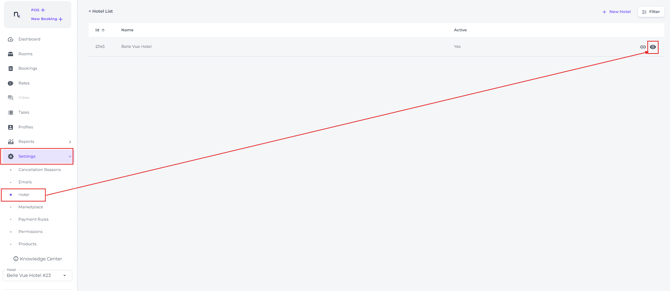
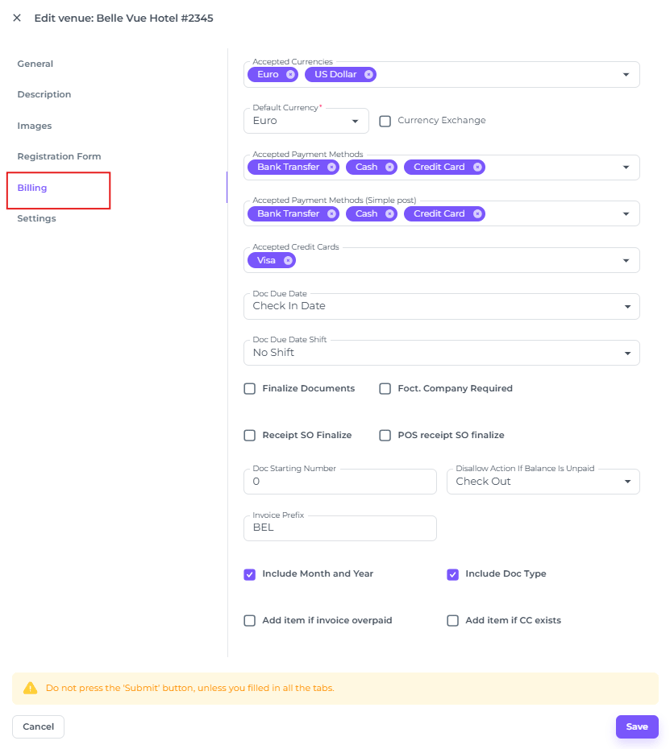
Unconfigured settings
Manual finalising required
If you do not configure any settings, your team will always need to finalise every proforma manually.
Prompt at Check-Out
Reminding users to finalise proforma's
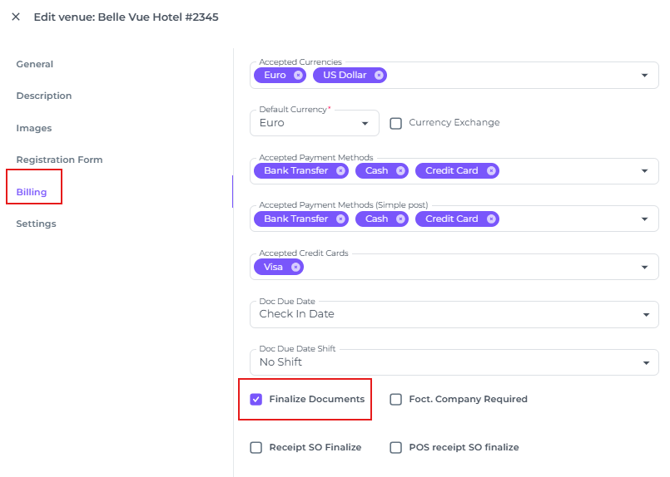
Enabling 'Finalize Documents' in Hotel Settings activates a notification at check-out whenever unfinalised proformas remain. The notification asks whether you want to finalise the documents, and you can select Yes or No: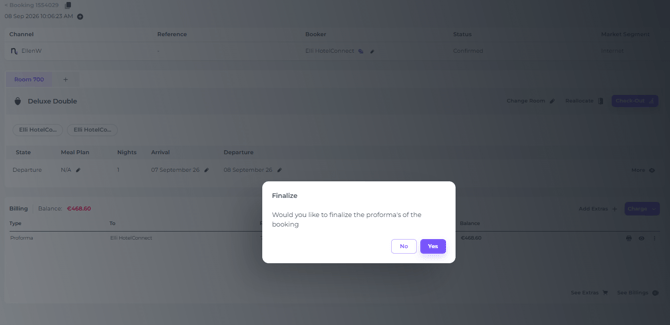
☝️Please note: Selecting Yes also finalises any unpaid documents: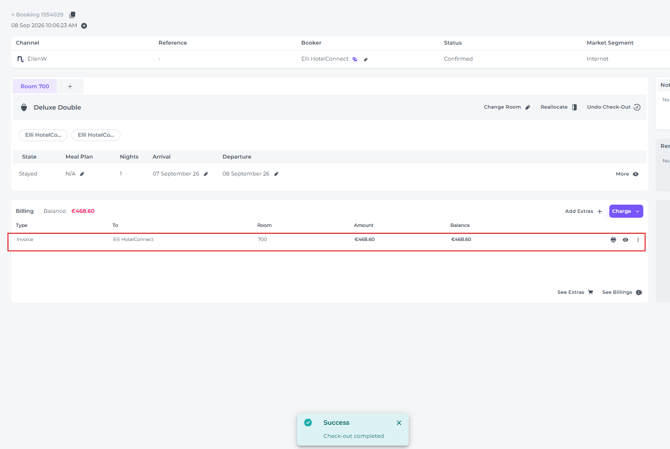
To return to the booking page without selecting Yes or No, for example, to settle an unpaid proforma, click anywhere outside the notification.
Finalise after Payment
Finalised automatically after payment, regardless of checkout.
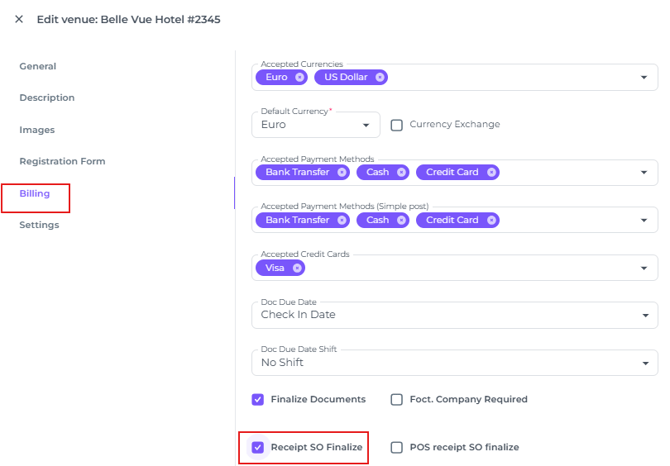
With this configuration, the proforma is finalised as soon as the related document is paid. However, the payment must be linked to the proforma; simply posting a payment is not enough.
For manual bookings this means you need to select the correct proforma in the field Document: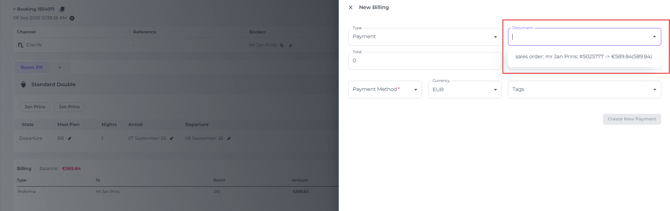
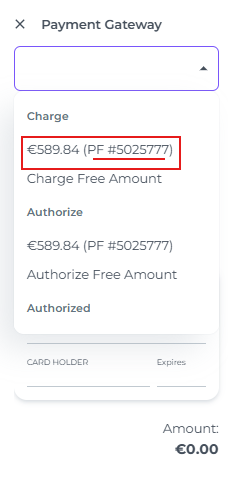
For credit card payments processed through the payment gateway, you must also select the correct document under Charge:
Whilst the state is still Departure and the booking is therefore still on check out, the document has been finalised: 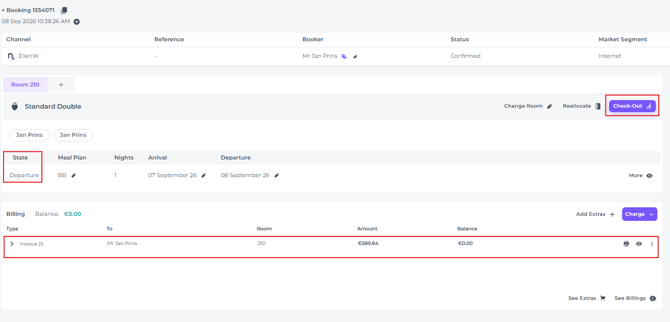
Finalise after payment in POS
When payment for an item is made in Cashier
The same is applicable to the POS documents, once paid, the document will become an invoice.