Guests may sometimes decide to depart earlier than the original departure date on their reservation—for example due to a change of plans, illness, transport issues, or a change in itinerary. In many cases, your cancellation or early departure policy states that remaining nights are still chargeable, because the room was held and may be difficult to re‑sell at short notice.
However, it is ultimately up to the property to decide how strictly to apply this rule in each situation. Some hotels choose to be more flexible for loyal guests, during low‑occupancy periods, or when an early check‑out is caused by circumstances beyond the guest’s control. In those cases, you might waive part of the fee, charge only one additional night, or not charge anything at all.
Whatever you decide, it is important to:
-
Update the reservation to reflect the new departure date
-
Apply any late‑cancellation or early‑departure fees according to your policy (or your chosen exception)
-
Document the reason for any deviation from the standard policy in the booking notes
This ensures transparent communication within your team, consistent treatment of guests, and accurate reporting in your PMS.
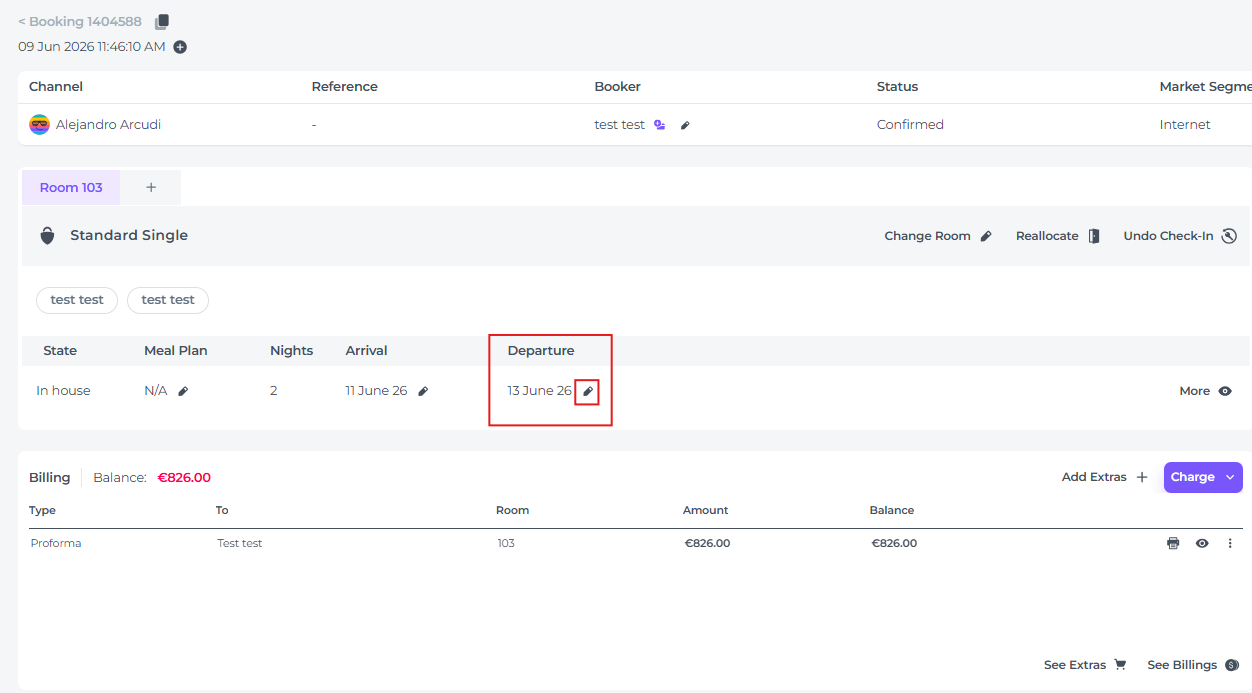
Amend the reservation Departure Date
- Navigate to the guest’s booking and open the reservation details.
- Click on More within the reservation section.
- Update the Departure Date to the new date provided by the guest and save your changes.
Charge for a Late Cancellation Fee
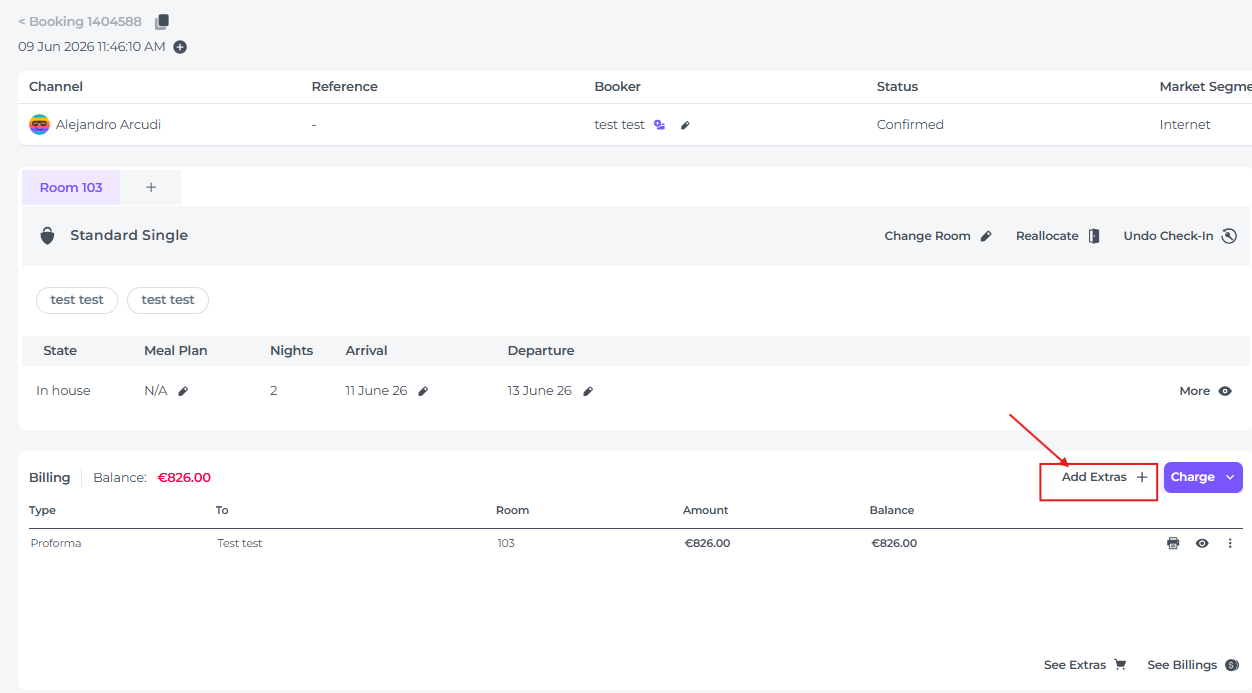
-
Navigate to the Billing section of the reservation and click on Add Extras:
-
Add the extra Late Cancellation Fee and apply the charge according to your property's cancellation policies:
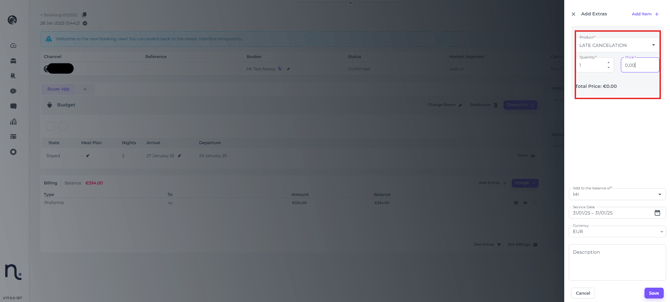
Ensure that the product "Late Cancellation Fee" is added to your list of chargeable products. There you can see how to create a new product
Check Out the Guest
After checking out the guest, the room will automatically become available in the system for new arrivals, maintaining optimal occupancy.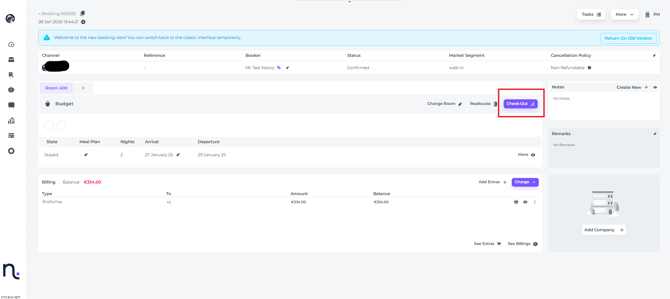
-
Once the departure date has been updated and the late cancellation fee has been applied, proceed with checking the guest out.
-
Checking out the guest will not restrict your ability to adjust the billing later if needed.
-
If necessary, you can check the guest out before adding the cancellation fee to make the room available for new arrivals.
-
The billing of a checked-out guest can still be adjusted at any time after check-out.