The key difference is how the payment is handled:
-
Simple Post - records a payment manually in Noovy, typically for cash, bank transfers, or *On Account* payments.
-
Payment Gateway - routes the payment through Stripe, allowing you to charge a guest’s debit or credit card seamlessly—via the card on file (linked to the reservation), a payment terminal, or a payment link.
To process a payment from a reservation, open the Billing section and use the Charge button: 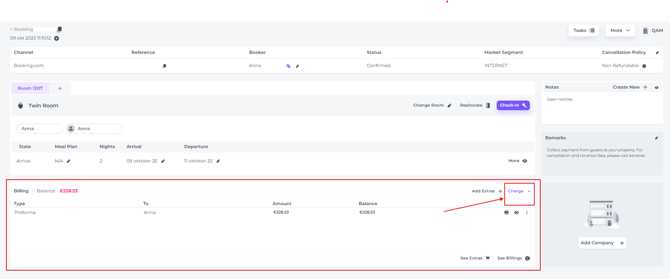
PAYMENT GATEWAY payments:
Scenario 1
The guest will settle payment upon arrival using the credit card on file
The credit card is linked to the reservation either automatically during the online booking process, through a Credit Card Authorisation Link or manually added by a hotel team member: 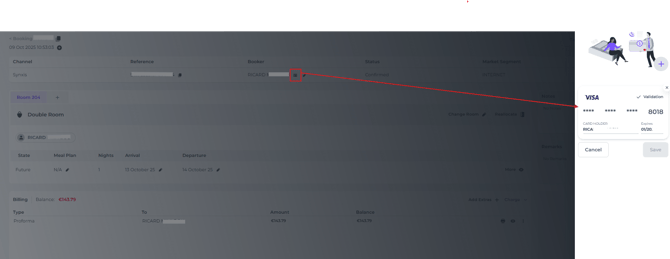 .
.
If the guest is present always take the payment via the Terminal in order to have the guest enter his/her pin code:
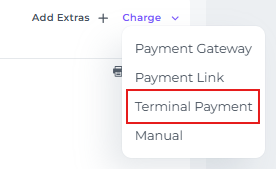
This payment will be processed via the interface between the system and Stripe, and therefore is a Payment Gateway payment.
⚠️Important Note:
If a credit card is linked to the reservation, it may only be used as a guarantee in case of a no‑show or late cancellation; charging it for any other reason is not allowed. We strongly recommend following this to avoid potential disputes later on.
Scenario 2
Guest is a no‑show or the booking was cancelled late;
the card on file may be charged
The credit card linked to the reservation (whether added during online booking, via a credit card authorisation link, or manually by your team) may and should be charged in this case. In line with the cancellation policy the guest accepted when booking, or confirmed during two‑factor verification after receiving a Credit Card Authorisation Link.
-
To charge, choose Payment Gateway via the Charge button in the reservation
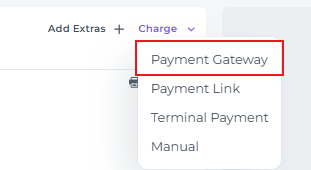
If an amount has already been pre‑authorised on the card, we recommend capturing this amount. For detailed steps, see our article How to capture a credit card authorisation
The card is charged via Stripe using the Payment Gateway.
Scenario 3
The guest has agreed to settle the payment via a Payment Link
When Payment Links are sent, the guest can complete their payment within the designated timeframe before the link expires.
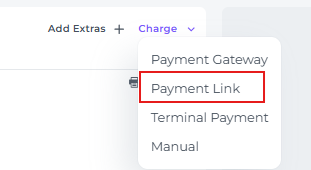
Check out the article How to send a payment link.
Once the guest has made the payment using the link, it will be processed securely through Stripe and recorded as a Payment Gateway transaction.
SIMPLE POST Payments:
Scenario 4
The reservation is guaranteed by a credit card, but the guest prefers to pay in cash
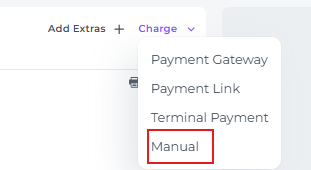
In this case you will select the Manual option that is presented in the Charge button in the reservation:
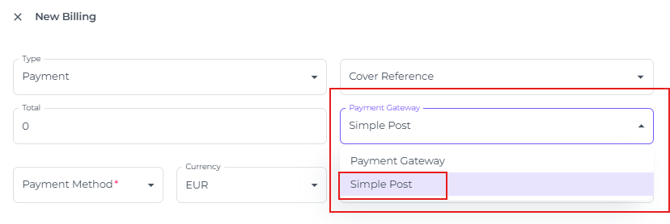
You will be prompted to specify the payment type. Although the field is labeled Payment Gateway, this is where you select Simple Post.
In the Payment Method field you will select Cash:
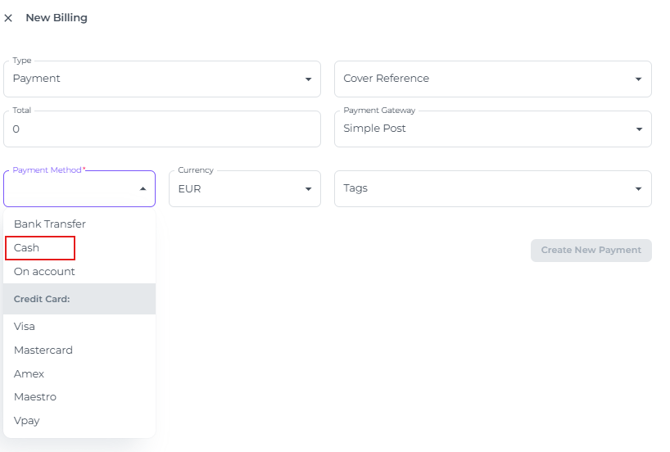
This action simply logs that a payment was received in the billing section of the reservation page; the guest will still need to provide the relevant amount in cash directly.
There is no interface with Stripe involved and therefor is considered as a Simple Post.
Scenario 5
When importing reservations from your previous PMS,
log any card payments manually in Noovy
If you have recently switched your PMS to Noovy, make sure all payments already processed in your previous system are also recorded in Noovy for accurate financial reporting.
Because the credit card was actually charged in your previous PMS, you now need to create a Simple Post receipt in Noovy:
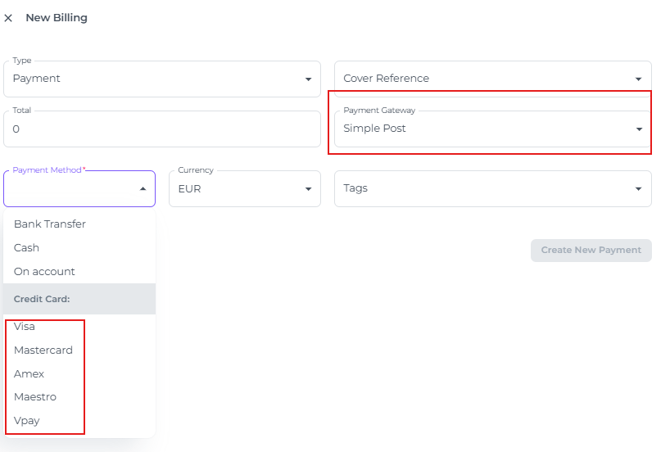
This ensures you maintain a clear, accurate record of how the payment was made in the previous PMS.
💡Tip:
To ensure transparency for all system users, add a comment to the booking indicating that the payment was processed in your previous PMS system.
Scenario 5
A company agreement specifies that this company’s reservations will be settled On Account
If a company-hotel agreement specifies that all reservations will be settled On Account (often as a monthly consolidated invoice), create a Simple Post – On Account payment. The receipt will clearly show On Account as the payment method.
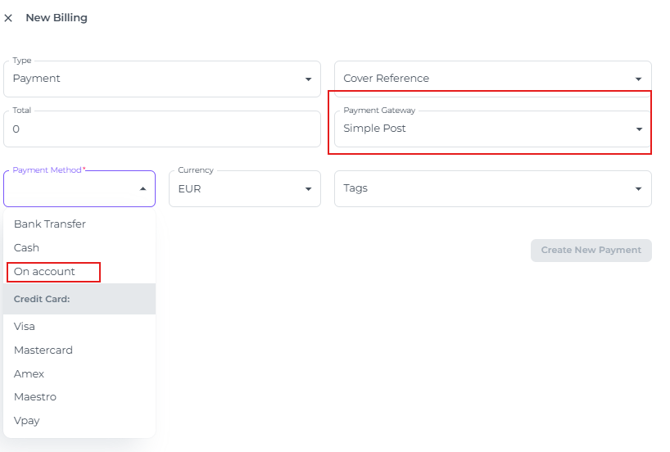
*Please Note: If On Account is not configured in your PMS, do not hesitate to ask your PMS Account Manager to do this for you.
Scenario 6
The guest has paid via Bank Transfer
Although rare, some guests may choose to pay their reservation by bank transfer, if agreed upon by the hotel. In this situation, you must create a Simple Post – Bank Transfer payment.
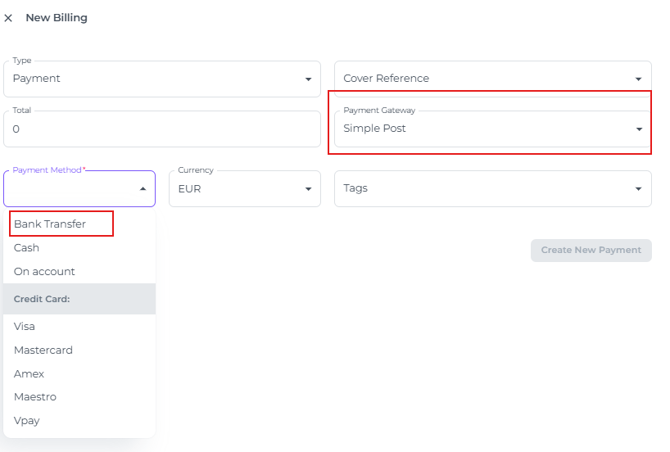
⚠️Important Note:
It is crucial to confirm that payment has been received before creating a Bank Transfer receipt. We recommend issuing the Bank Transfer receipt only after you have verified that the funds have arrived in your account.