To guarantee all bookings, a full payment or a credit card authorisation is required. If a booking does not yet have a credit card on file, you can add the card details provided by the guest to that reservation.
☝️Please note that you must have the guest’s consent before authorising a credit card, especially if this authorisation may later be captured and converted into a payment. This helps prevent disputes and chargebacks.
We recommend to send a credit card authorisation link to the guest, as this will ensure approval to charge the credit card when needed. Check this article to learn how: How to send a Credit Crad Authosriation Link?
- Find the reservation to which you want to add a credit card.
- Open the reservation in full view mode (Bookings Page).
- Open the General section by clicking the pencil icon:

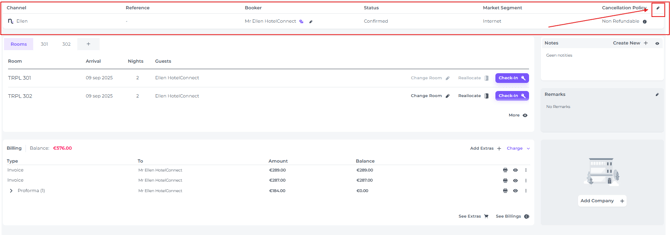
- In the column 'Booker' click on the credit card icon:

- In the pop up that appears you can enter the credit card details and hit Save:
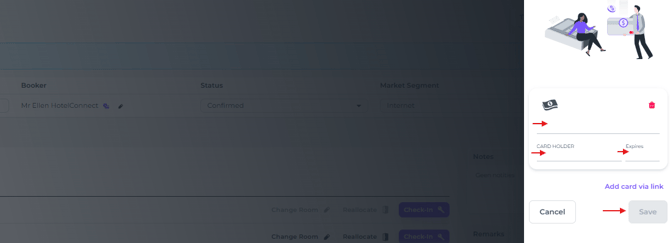
- When correct details are entered this will be confirmed with a temporary message: