Noovy Kiosk - Early Check-in
Enabling this feature enhances the guest experience while reducing the workload for your front office team. Read the article “Kiosk Early Check-In Feature” to learn more.
You can configure this in Settings > Marketplace:
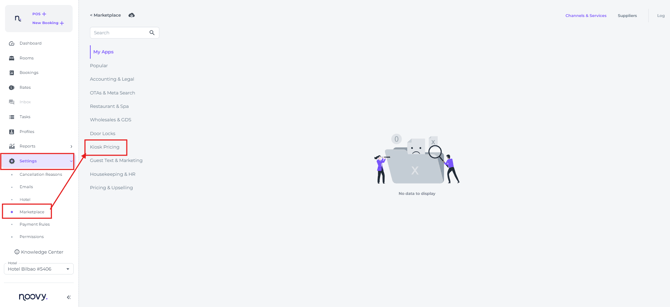
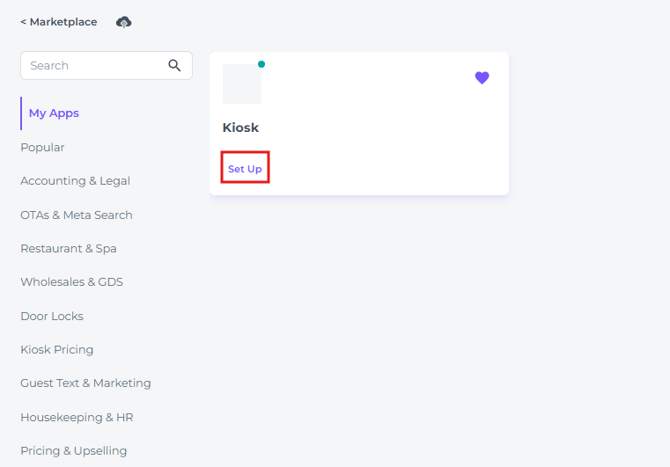
- Select Kiosk Pricing > Set Up:
- Toggle the switch 'Allow Early Check in'
-
- This toggle enables the Early Check-in functionality:
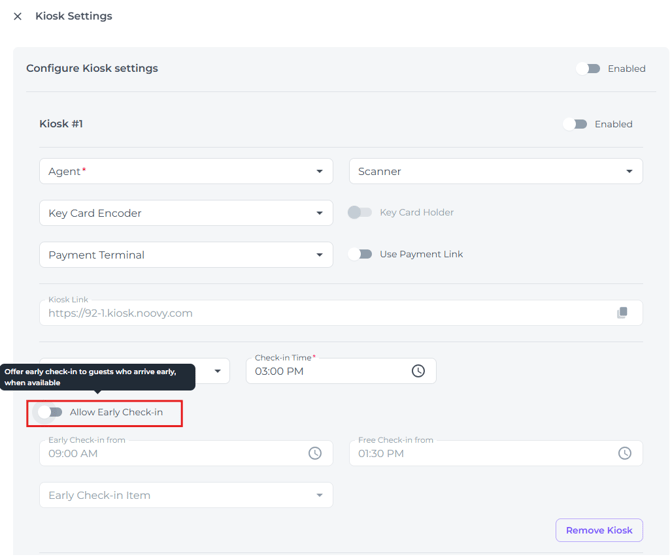
- This toggle enables the Early Check-in functionality:
- In the “Early Check-in from” field, enter the time from which you want to start charging guests the early check-in fee.
- This time can not be later than “Check-in“ time
- Guests will not be able to check in earlier than this time using Early Check-in
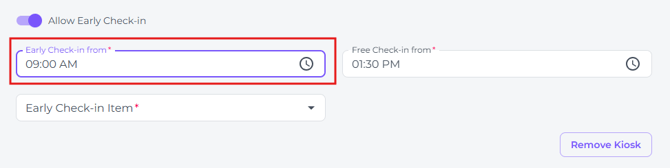
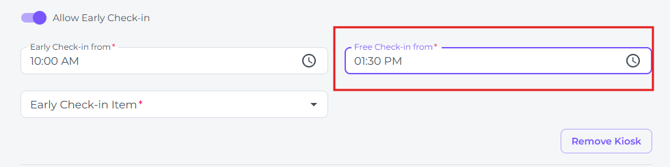
- In the “Free Check-in from” field, enter the time that marks the cut-off between paid early check-in and the standard check-in time.
- This time can not be later than “Check-in“ time
- This gives guests a short grace period before the official check-in time begins
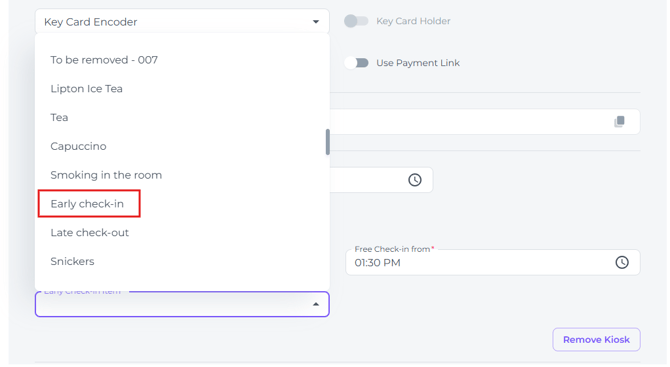
- In the Field “Early check-in item“ you search and select the Early Check-in Product:
- The selected item is added to rooms which are checked-in early for a fee
which is added to the reservation billing document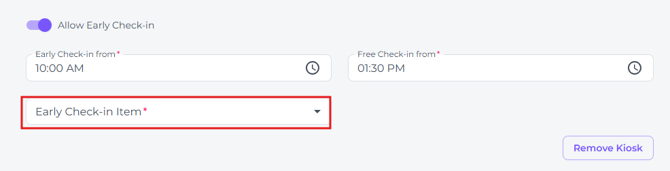
- The selected item is added to rooms which are checked-in early for a fee
- Click Save to enable Early Check-in with your selected settings.