Bookings enter the system from many sources: OTAs, your own booking engine, corporate partners, and individual guests. With a mix of group and individual reservations and multiple booking statuses, you need to be able to locate the right booking quickly.
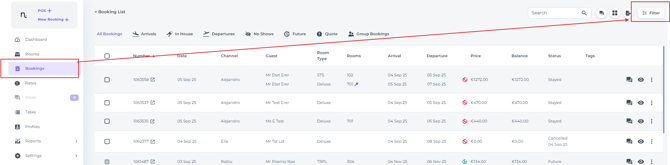
The best way to find a booking is to enter the search criteria in the Filter on the top right screen of the Booking List:
-
In the main menu click on Bookings and go to the Filter:
- In the pop up screen enter any known criteria:
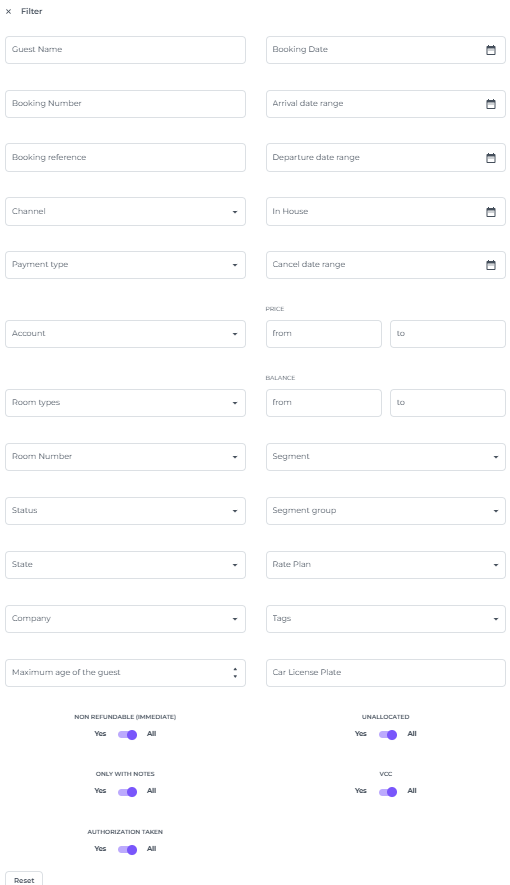
📝Note:
Using too many filters at once increases the risk of errors and may hide the booking you were looking for. It is more effective to apply criteria one by one.
Keep in mind that searching by name can be tricky if multiple guests share the same name. If your search returns several results, verify the guest's full name and address to ensure you are accessing the correct reservation
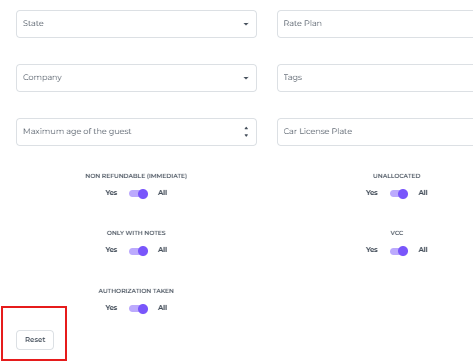
- If you would like to erase all previously entered criteria click on Reset
- The booking(s) will appear in the booking list.
The more correct details you enter in the filter, the more chances of narrowing down the list.
In the example below the criteria is Guest name 'Ellen' , since only one criteria is entered, the list of bookings with guest name 'Ellen' is most likely long: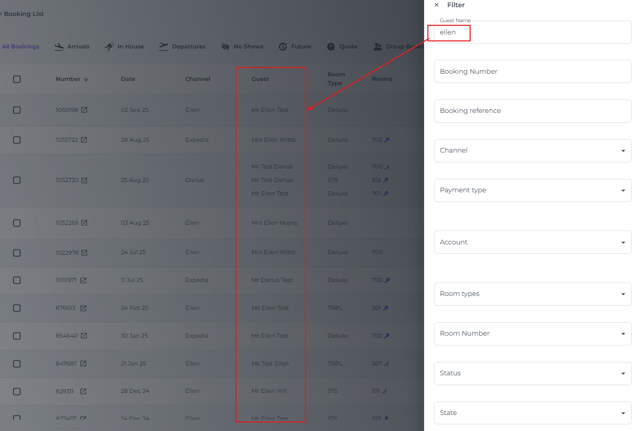
However, by adding the last name to the guest name, will make the list significantly shorter, which makes you able to identify the correct boking much easier: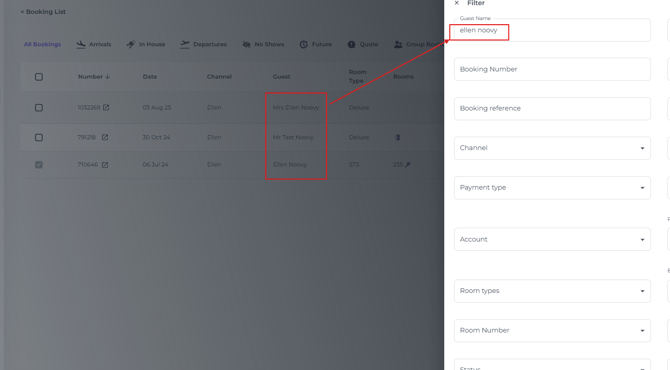
Alternatively, search by name, system booking number or reference number (Channel ID number)in the Search field on top of your Booking List screen:
