In Noovy, credit or debit card refunds are processed in the booking's billing section.
The original payment method does not affect the procedure; refunds are always carried out in the same way. Payments via credit or debit card may have been made in several ways:
-
Via the ‘Charge’ button
-
Via a payment link
-
Via a card terminal
-
Via an automated charging rule within the system
For Manual /Simple Post payments (which are always processed via the ‘Charge’ button), please follow the same steps. ⚠️Note that refunds for payments made outside of the payment gateway are purely administrative. These entries record the transaction in the system but do not physically transfer funds back to the cardholder's account.
If you are refunding a cash payment, simply hand the amount directly to the guest in person.
To credit a payment, or credit a partial payment follow the below steps:
- Open the concerning booking which you would like to make a refund for.
- Navigate to the Billing section on the reservation page:
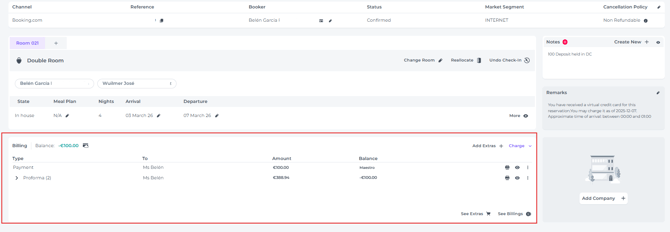
- Payments may be listed as a standalone line item in the billing section or linked directly to a specific document, such as a proforma or invoice (Click the arrow next to a document to reveal its linked payment):

- Before creating a refund, first verify that you are processing it for the correct payment.
- Click on the three dots (More Action function) behind the payment line. A pop-up will appear. Click on Refund:

- In the next pop-up, enter the amount to be refunded and click Create New Refund:
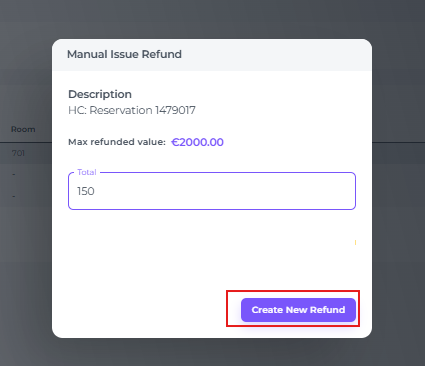
- Once successfully refunded, the system will let you know by showing a temporary notification:
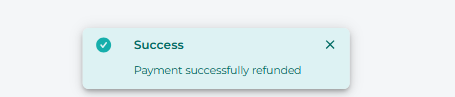
- Processed refunds will appear as red payment lines for easy identification:

⚠️Warning:
Refunds can only be processed back to the original payment card.
Do not attempt to refund Virtual Credit Cards (VCCs), as funds are typically unrecoverable.
Once processed, the credit should appear in the holder's account within 10 business days, subject to bank processing times.