Change the room status to dirty or clean in just a few steps:
- Hoover your mouse to the system's menu and click on Rooms:
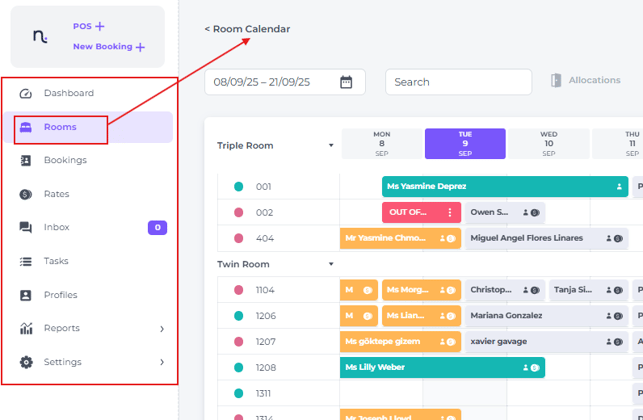
- In the Room Calendar look for the room(s) you would like to change the status for.
- Simply click the coloured dot next to the room number—red indicates the room is Dirty, while Green means it’s Clean:
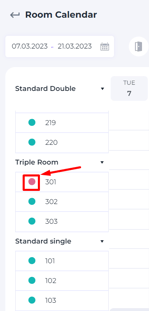
- Clicking on it once will change the status instantly
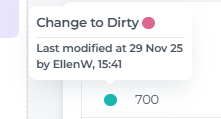
👉 Hoovering your cursor on the coloured dot will give you the information on which user changed the status and when.
💡Tip:
Perhaps needless to say, but do not forget:
One needs to be assured of the actual status by checking physically or by consulting the housekeeper prior changing it in the system!