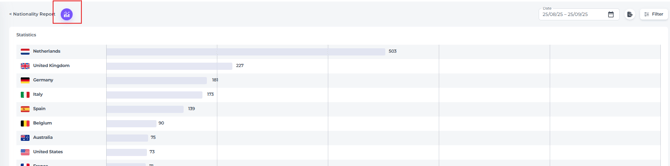
The Nationality Report pulls its data from guest profiles linked to stayed bookings and provides a detailed overview of booking activity by stay date.
The Nationality report can be found from the main menu under Reports: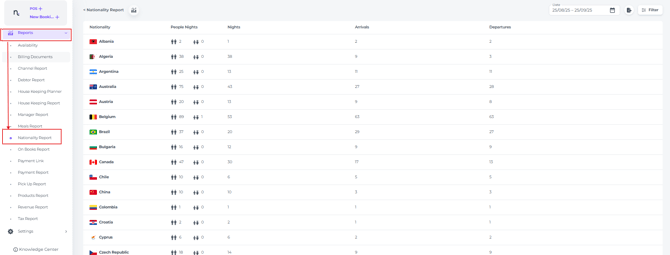
- Use the date range picker to select the period you wish to review in the nationality report.

Columns explained

-
- Nationality - Is taken from guest profiles; if no nationality is stored, the system automatically falls back to the hotel’s country.
- People Nights - Represents the total count of adults and children staying during the specified period.
For example, if two adults stayed for two nights in one room, it would be recorded as four People Nights (2 adults x 2 nights). - Nights - Reflects the total number of room nights booked and occupied within your chosen date range.
Using the same example, if two adults stayed for two nights in one room, it would be counted as two nights. - Arrivals - shows the total number of guests who checked in during your selected date range.
Following the previous example, if two adults stayed for two nights and checked in during the period, it would be recorded as two Arrivals. - Departures - shows the number of guests who completed their stay and checked out during the selected period, mirroring the Arrivals metric but focused on departures.
Guests checking out after the selected period will not be included in this count.
-
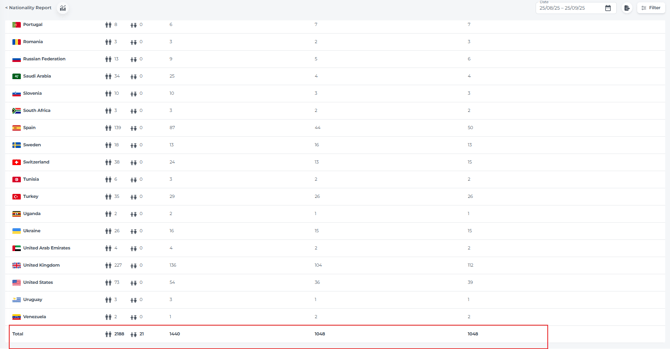
The total guest count is displayed at the bottom of the report:
FILTER
-
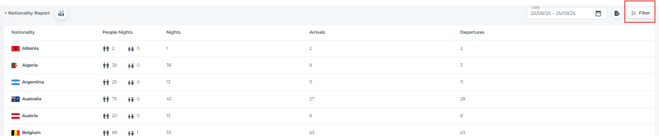
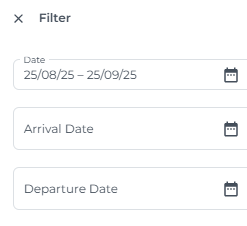
Click the Filter button to refine the report by setting arrival and departure dates per nationality:
💡Tip:
By clicking on the chart illustration button...,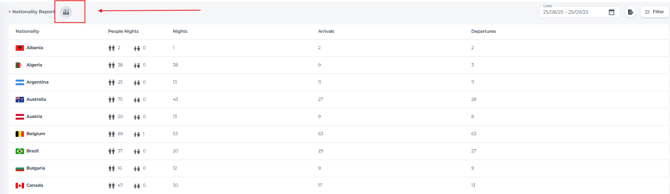
...you can visualize the same report data in graphical form: