⚠️Important Note:
Adding guests can impact the reservation balance, particularly for OTA bookings.
To ensure smooth payment processing, always add post-booking extra costs to a separate proforma. This keeps Virtual Credit Card (VCC) payments linked to the correct invoice while allowing guests to pay additional charges directly on-site.
☝️Do not amend the original proforma, as this may interfere with OTA commission verification.
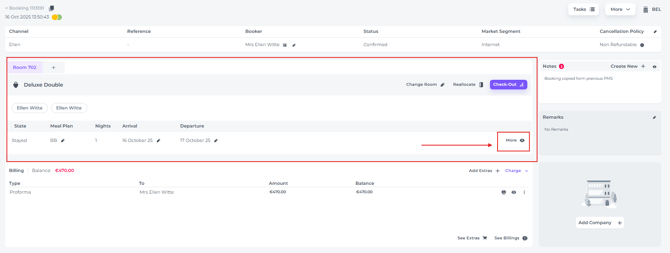
- In the booking page of the concerning reservation go to the "Allocation section" and hit the More button:
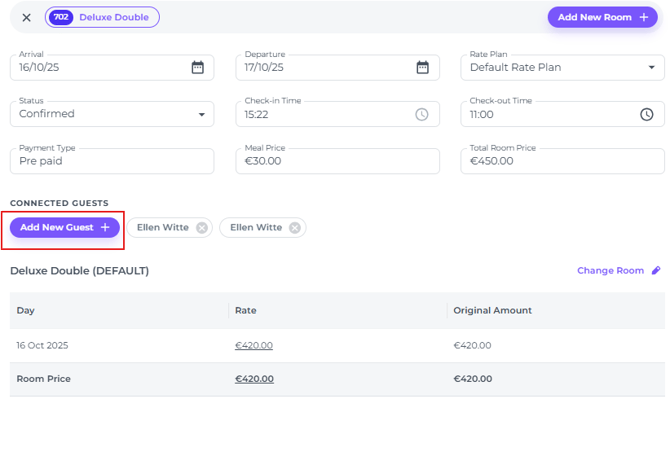
- In the pop up screen that appears lick on Add New Guest :
- Fill out the guest details to create a new guest profile:
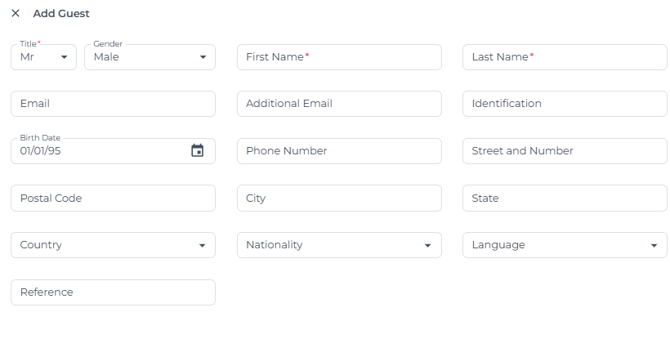
- Hit Save, which will result in a temporary message on your screen: you have Successfully added another guest to the reservation: