We designed a new login screen!
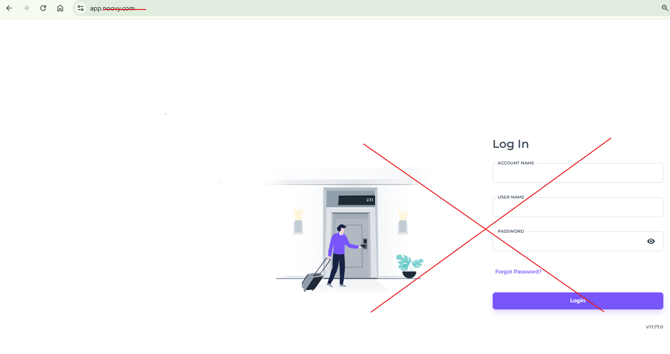
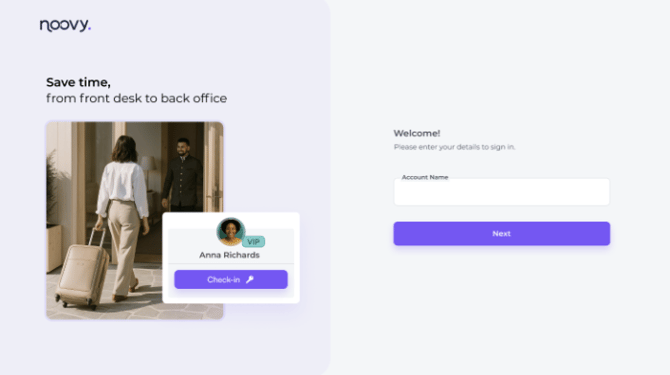
As of August 2026 we will introduce an updated and redesigned login screen, better lay-out and crisp design. The login screen is clear and easy to use, giving you a smooth start with Noovy. Clearly labelled username and password fields, along with helpful icons and prompts, guide you through the login process.
We will also and ask you to login with your unique account specific Noovy URL:
youraccountname.app.noovy.com (for example: bellevue.app.noovy.com)
Old login screen via app.noovy.com
New login screen via app.noovy.com where you can enter your account name
For best practise and quickest way to login use the steps below:
Login with the account specific URL:
- Open the Login Page:
Access the login page in your web browser by entering your account name in the URL: (accountname).app.noovy.com
💡Tip: Save the URL in your bookmarks - Enter your username and password, then hit Login:
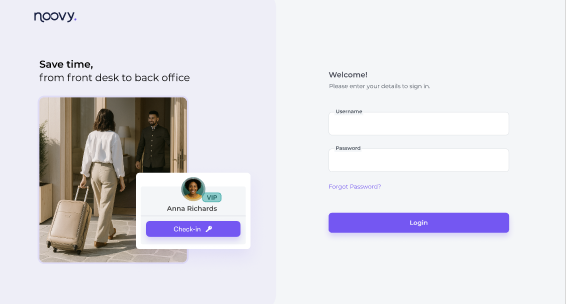
- "Forgot Password?" Link:
Click this link to initiate the password recovery process if you have forgotten your password.
Two-factor Authentication
Noovy has rolled out the Two-factor Authentication (2FA).
Clients can enable two-factor authentication (2FA) to prevent users from logging in to Noovy on an unknown device without a one-time code provided by a manager.
Learn how two-factor authentication works and how to enable it in Noovy via this article:
Noovy Two-factor Authentication
🚨Troubleshooting:
-
Incorrect Credentials:
If you enter an incorrect account name in the browser URL or type the wrong username or password on the login page, you will receive an error message. Double-check your credentials and try again.
-
Forgot Password:
If you've forgotten your password, click the "Forgot Password?" link and follow the instructions to reset it.
-
Login Issues:
If you encounter other login issues, please contact our support team or your account manager or Noovy support