The notification center is a tool to determine which E-mail Notifications should be sent to users.
It gives you fine‑grained control over who is informed about which events in Noovy, so the right team members receive the right information at the right time without overloading everyone’s inbox.
From here, you can:
-
Enable or disable specific e‑mail alerts per user (for example for new bookings, cancellations, check‑ins, check‑outs, rate changes, or maintenance events such as OOO rooms).
-
Decide whether notifications are sent only by e‑mail, only as in‑app or push notifications, or as a combination of both.
-
Tailor notification settings to each role in your hotel (e.g. front office, housekeeping, revenue management), so each user sees only what is relevant for their daily work.
-
Keep an auditable record of who was notified about important changes, which supports internal communication and reduces the risk of missed actions.
Well‑configured notification settings help your team react faster to new reservations or changes, reduce communication errors, and keep operations running smoothly across all departments.
You can find the Notification Center in any user Profile in the edit section:
Main Menu > Profiles > Users > Select the user you wish to view or edit the Notifications for > click on the pencil icon:
Access the User’s Notification Center
A pop-up appears with the user’s details; scroll down to the Notifications section: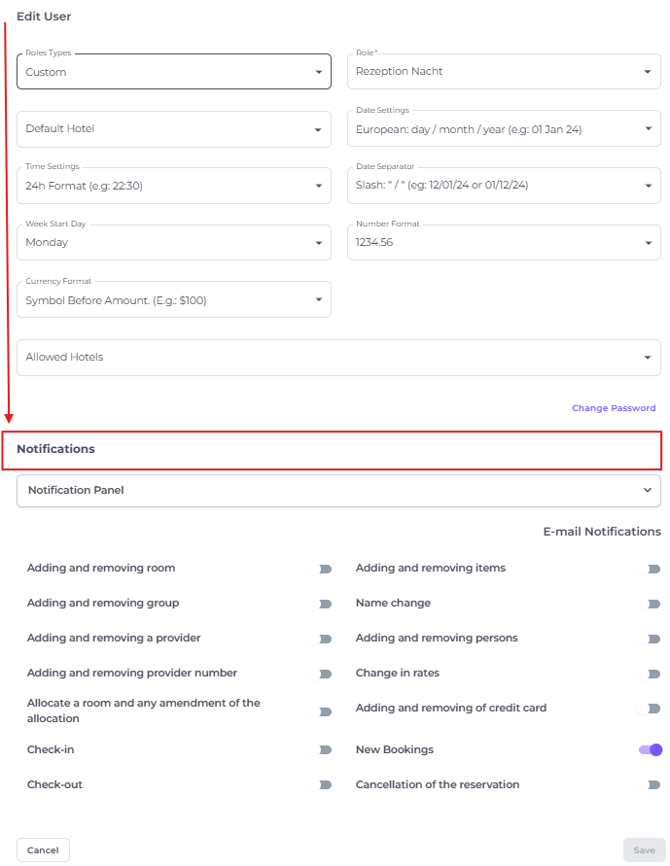
Configure Notification Options
In the Notifications section, you can enable two types of notifications:
- Notification Panel - Enabling the Notifications send to the system. When the user logs in the notifications will be shown.
- E-mail Notifications - Enabling to send notifications per E-mail.
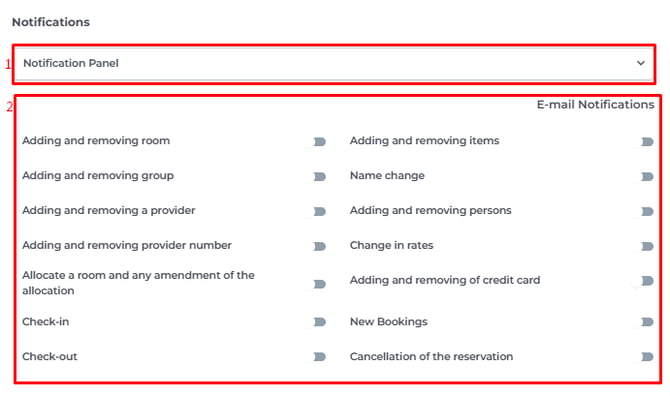
- Notification Panel
Enable push notifications for the notifications you wish to send to yourmobile Noovy app . Toggle on the Receive notifciations switch to activate.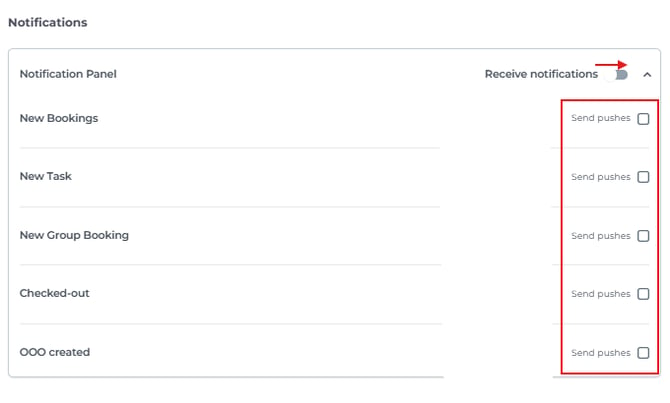
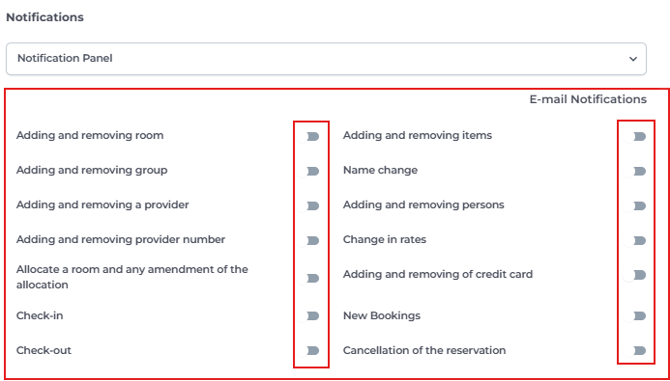
- E-Mail Notifications
-
Toggle the notifications you wish to be send to your E-mail address.
Save or Cancel Changes
-
Click Save to apply the selected notification settings.
-
Click Cancel to discard any changes and close the panel without saving.
Trouble shooting
If you are not receiving notifications check the following:
-
Are you logged into the Noovy mobile app with your own user account?
-
Verify that notifications are enabled for the Noovy app in your mobile device settings.
📞Contact your Account Manager of Noovy Support if you are still experience issues.