Depending on the booking’s terms and conditions and/or the hotel’s policy, the hotel may require a credit card authorisation. This places a specified amount on hold on the guest’s credit card, which the hotel can capture if needed. In case a Refundable booking will go No Show, or when a Refundable booking is cancelled outside of the free cancellation period for example.
Credit card on file
A credit card on file is the card information provided by the booker. You can retrieve a booking’s credit card details in several ways:
For bookings made Online
By completing the booking, the guest agrees to your credit card terms. Oftentimes this means a credit card is mandatory, without the credit card a booking can not be finalised.
Manual Bookings
For manual bookings, you can enter the guest’s card details, but you cannot use the card for authorisations without the guest’s written consent. Always obtain clear consent for payment terms and card usage to avoid disputes or chargebacks.
Retreive Credit card by Credit Card Link
You can email the guest a secure link via the booking to submit their credit card details, which are added to the booking automatically. With clear terms in the confirmation, you can authorise and capture the amount for late cancellations, no-shows, or incidental charges. Read the following article to learn more How to send a Credit Card Authorisation Link?
How to authorise
-
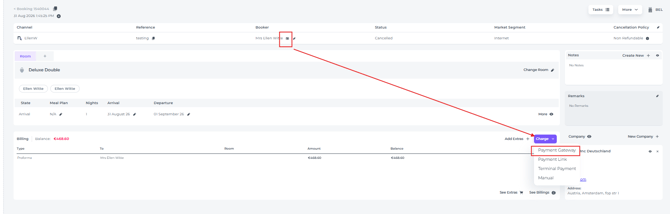
On the Booking page make sure there is a credit card on file, go to the Billings section and click Charge, select Payment Gateway:
- In the pop up that appears, in the first field choose your action:
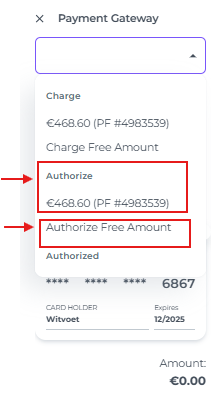
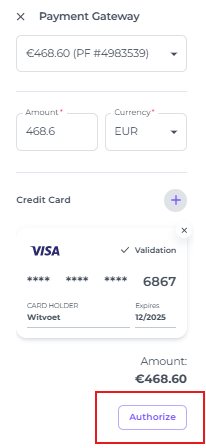
When you select Authorize Free Amount, you can enter an amount different from the total reservation amount. - Click on Authorize afterwards and there will be an attempt to authorise:
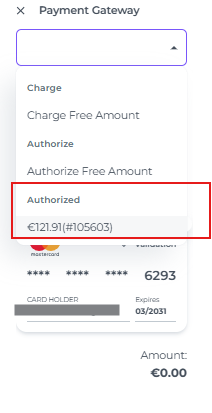
- If there is sufficient funds available and the card is valid, the authorisation will be processed in seconds, which will also be shown via Charge - Payment Gateway by clicking on authorize:
- You can also check the Payment Gateway Logs in the main menu > Settings > Payment Rules > Logs:
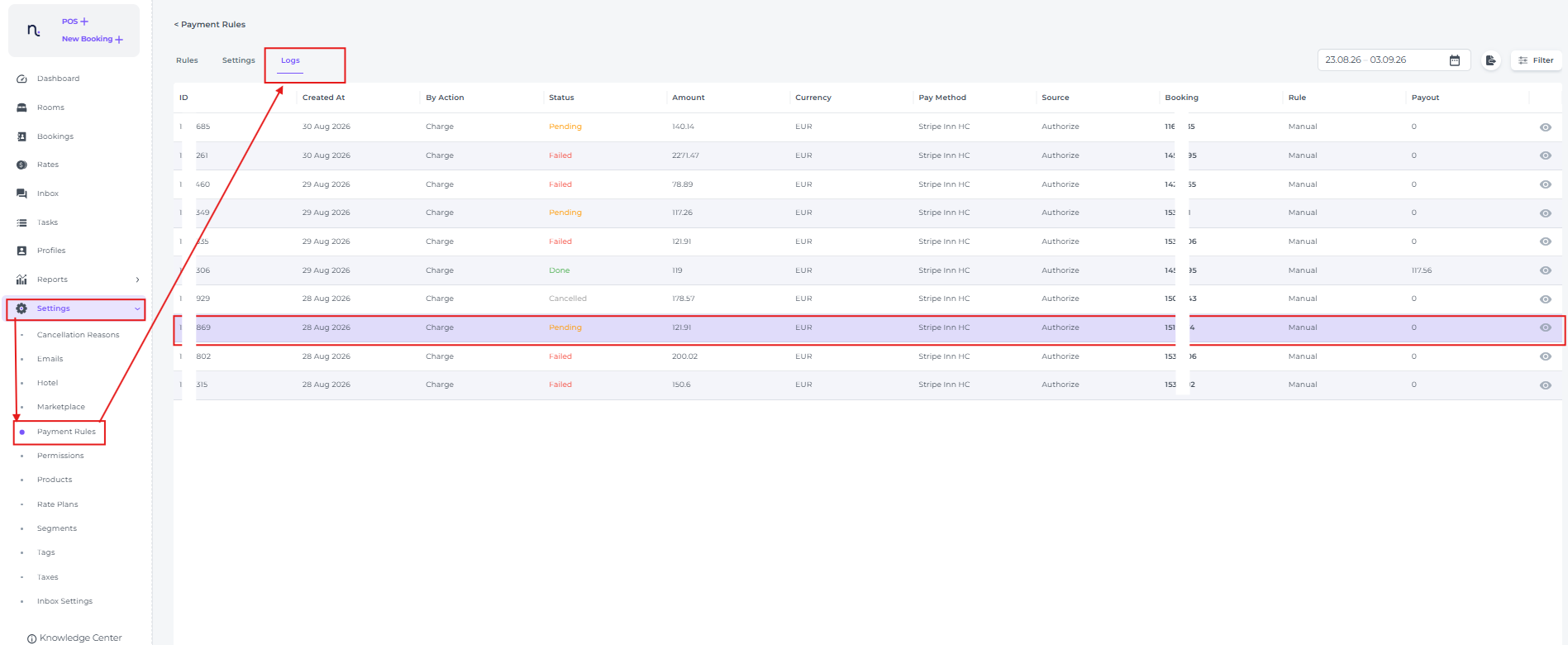
- This is also where you capture the authorised/blocked amount, or part of the amount when needed:

Check out our article:
How to capture a Credit Card Authorisation