Why do I need to finalise Proforma's?
☝️*If your hotel settings are configured to finalise proformas automatically after payment has been made, this article does not apply to you.
Proformas serve as temporary precursors to final invoices, outlining expected charges before official billing takes place. Because they are not yet finalised, they can be amended whenever booking details, services, or prices change. Once all details are confirmed, the proforma can be converted into a final invoice.
Please note that proformas do not impact revenue or tax reporting. Therefore, it is essential to finalise proformas as soon as possible after payment is taken, ideally straight after check-out, or immediately upon processing a late cancellation or no-show.
The steps
- On the booking page go to the Billing Section and check whether a payment has been made:
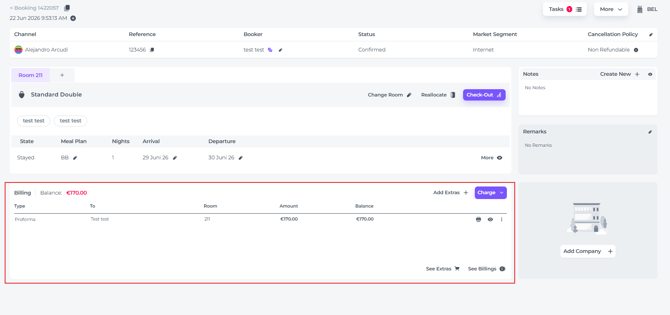
- If no payment has been made, please do so.
If your hotel settings are configured to not allow unpaid Proforma's to be finalised, you will get a notification the moment you click on Check Out. This will force you to take a closer look and remind you to settle payment: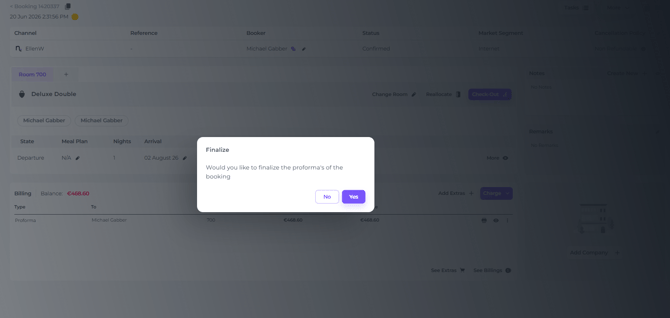
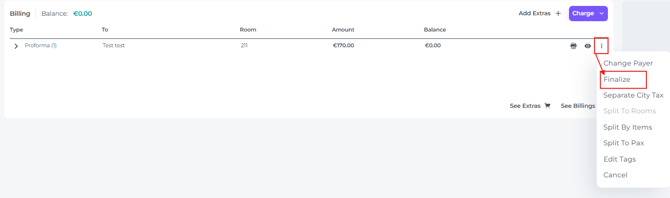
- When the proforma was paid you can now finalise it simply by clickig on the 'More Action Button (3 doths behind the document)> Finalize:
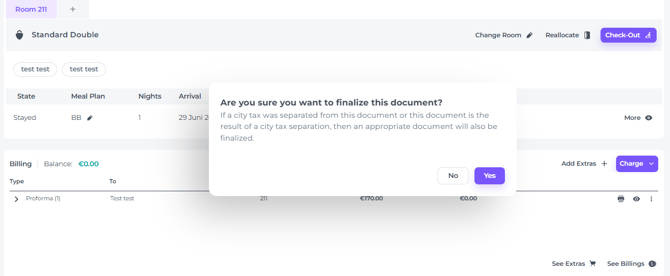
- A pop up asking you are sure whether you want to finalise will appear. Click YES:
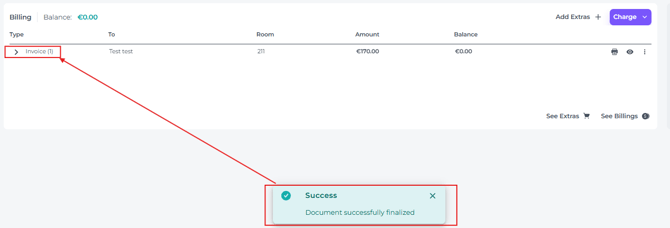
- Your Proforma has been finalised and converted into an Invoice:
- You can now proceed with the check out