Credit card authorisation links are designed for bookings that do not yet have a credit card on file.
Authorisation Links allow you to obtain the guest's explicit approval for a specific authorisation you want to place on their credit card (for example, a deposit, pre‑stay guarantee, or no‑show/late cancellation protection).
By sending an Authorisation Link, the guest securely enters their card details and confirms that your hotel may reserve or charge an agreed amount under your terms and conditions. This creates a clear, auditable consent trail and ensures the booking is financially guaranteed when no payment has been made upfront, reducing the risk of no‑shows, revenue loss, and later disputes or chargebacks.
Follow below steps to send a link to the guest:
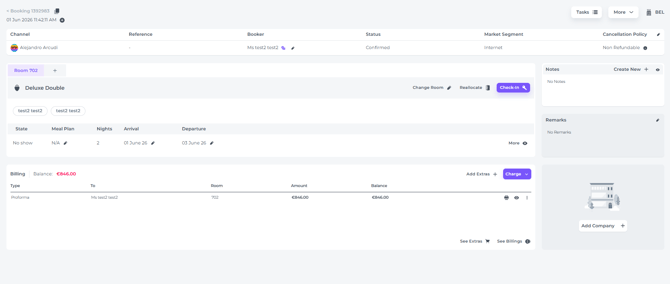
- Open the booking page for the reservation you want to send the credit card authorisation link for:
-
Go to the General Details section > Booker:
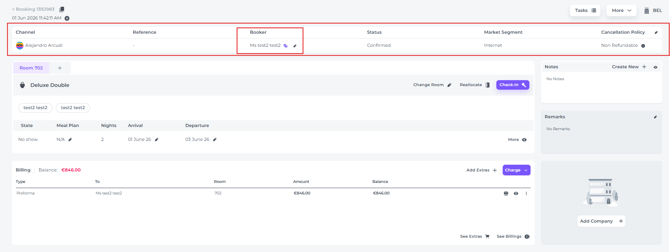
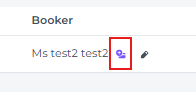
- You can identify bookings without stored credit card details by the credit card icon with a plus (+) sign:
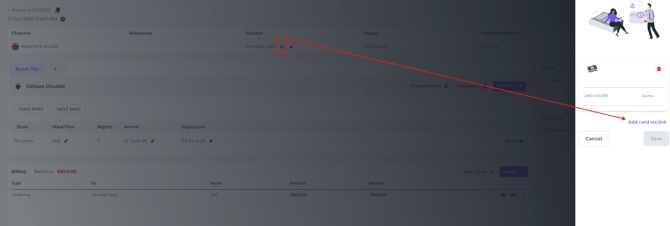
- Click on this credit card icon. A pop-up will appear > click on the Add card via Link button:
-
-
Verify that the correct email address is entered. This should be the email address provided by the guest when the booking was created.
(⚠️Sending the email to a different person means you cannot be certain that the credit card belongs to the booker, which increases the risk of fraud):
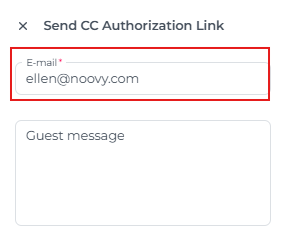
-
Optionally (recommended) , add a personalised message:
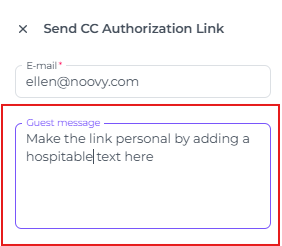
-
Send the authorisation link to the booker by clicking on the Send button at the bottom:
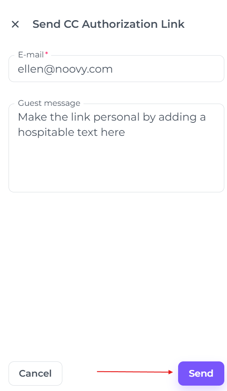
-
The booker will receive an email containing a button to complete the credit card authorisation, together with the personalised message you entered. In this example, the message simply says “Test”:
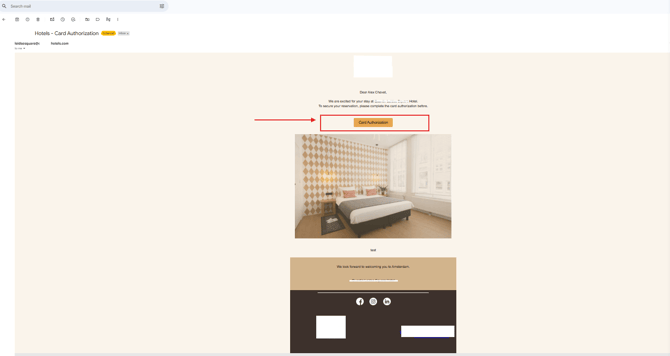
-
-
- The Booker will click on Card Authorisation and be redirected to the Online Check In two factor verification page:
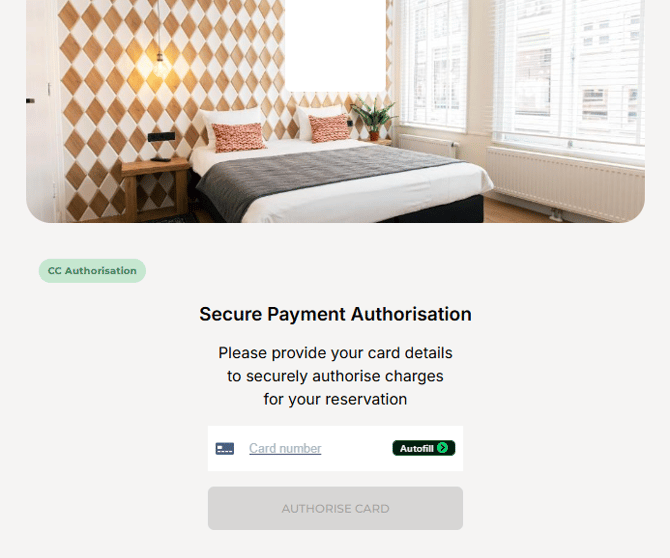
- The booker will complete the steps here. Once finished, the credit card details will automatically be added to the booking.
- The Booker will click on Card Authorisation and be redirected to the Online Check In two factor verification page:
When the Card Authorisation is clicked, the system triggers two‑factor verification so the guest explicitly agrees that the hotel may use their credit card. The card will be stored in the booking.
☝️Please note
No automatic authorisation is performed at this stage. After the guest has given consent via the Card Authorisation Link and the card is stored on the booking, it is the hotel’s responsibility to manually authorise the card.
Below video will illustrate what happens when guests clicks the button in the received email: