Main Menu Sections:
Getting to know these sections will help you unlock the full potential of your system.
1. Dashboard: Your Central Control Hub
- Purpose:
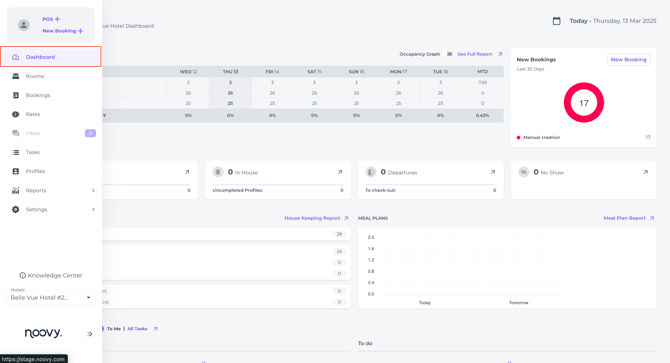
The Dashboard is your primary control panel, providing a real-time overview of your property’s key performance and operations. All key details at a glance.
- Key Features:
- Key Metrics: View essential data like occupancy rates and upcoming arrivals.
- Reservation Status: Monitor current and upcoming reservations at a glance.
- Room Availability: Quickly assess which rooms are available and occupied.
- Housekeeping Planner: Streamline housekeeping operations with an overview of the dirty and clean rooms.
- Meal Planner (If applicable): Manage meal plans and catering services efficiently.
- Recent Tasks: Track assigned tasks and their progress.
- Usage:
Upon logging in, the Dashboard is typically the first screen you will see, providing an immediate overview of your property's status.
2. Rooms: Visualizing Your Reservations and room statuses
- Purpose:
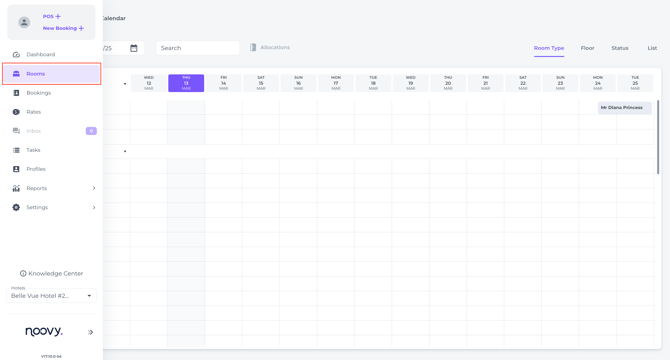
The Rooms Calendar provides a visual representation of the reservation schedule in a specific period. It allows you to view and change room statuses and create Out Of Order and/or Out Of Service Rooms. - Key Features:
- Room Calendar: A clear calendar display showing reservation distribution and reservation statuses and states across your rooms in a specific chosen period.
- Quick Reservation Information: Access essential reservation details directly from the calendar view.
- Room Status: Easily identify and change statuses (Clean-Dirty)
- Usage:
Predominantly for reception usage. Efficiently manage room allocations and ensure optimal occupancy. See in one glance the allocations and what rooms are available, occupied, vacant, out-of-order and/or out of service.
3. Bookings: The full list of all reservations regardless of their state
- Purpose:
With the most recently created reservation at the top, this list shows all bookings from the moment you went live, including those imported from your previous PMS. - Key Features:
- Preselect by State: Choose the state by column (Arrival - In house - Departure - No Shows - Future - Quote)
- Filter: Search for any reservation that was created, either manually or from channels.
- Most recent reservations: See at one glance which reservations were recently made.
- PDF or Exel: Download the predifined list in either format.
- Usage:
Easily manage and locate bookings, see their status and financial balance, identify the source channel, and review comments and tags at a glance.
4. Rates: Managing Pricing and Availability
- Purpose:
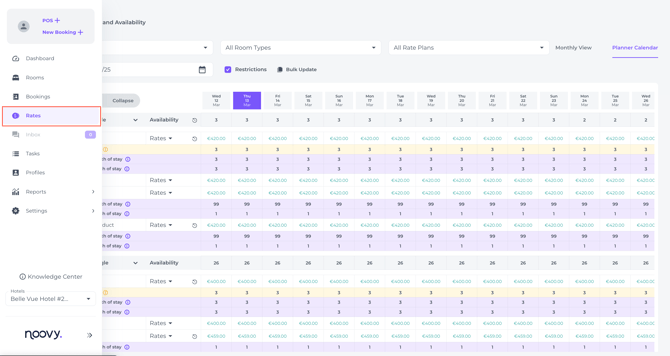
Allows you to manage your property's rates, availability, and restrictions. View upcoming Events and view Statistics - Key Features:
- Monthly Calendar View: A comprehensive calendar display of rate plans, rates and availability per month.
- Planner Calendar View: A detailed view for managing specific rate plans and restrictions.
- Rate Management: Easily update and modify rates based on demand and seasonality.
- Availability Control: Manage room availability and restrictions to maximize revenue.
- Usage:
Utilize this section to optimise your pricing strategy and ensure accurate availability across all channels.
5. Inbox: Streamlined Guest Communication
- Purpose:
Facilitate seamless communication with your guests through integrated messaging. - Key Features:
- Integration with Runnr.ai: Access your Runnr.ai account directly from Noovy.
- Centralized Messaging: Manage all guest communications in one convenient location.
- Efficient Communication: Respond to guest inquiries and requests quickly and efficiently.
- Usage:
Enhance guest satisfaction by providing prompt and personalised communication and increase productivity amongst your reception staff.
6. Tasks: Efficient Task Management
- Purpose:
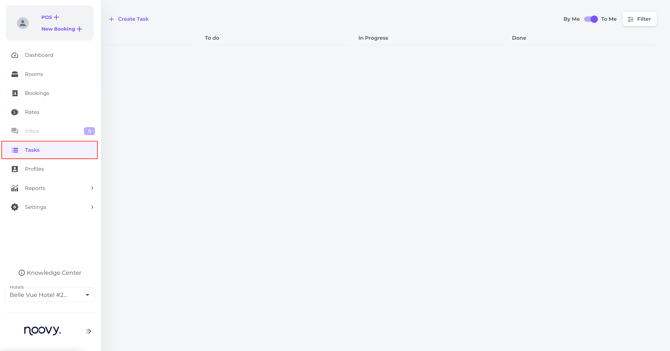
Organise and assign tasks to your staff, ensuring efficient operations. - Key Features:
- Task Creation and Assignment: Create and assign tasks to specific team members or profile groups.
- Due Date and Time: Set deadlines for task completion.
- Task Requirements: Provide detailed instructions and requirements for each task.
- Task Tracking: Monitor the progress of assigned tasks.
- Usage:
Improve team coordination, productivity and ensure tasks are completed on time.
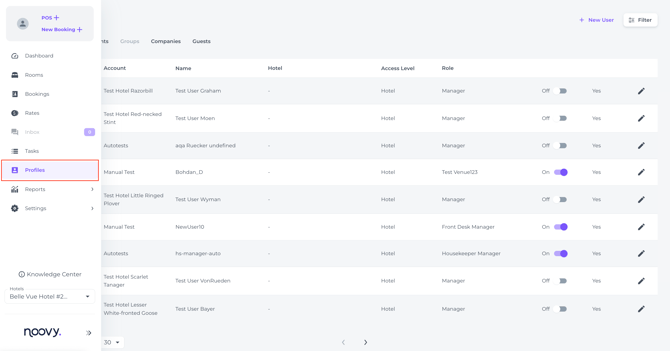
7. Profiles: Managing Guest and Company Information
- Purpose:
Capture, store, and manage guest, company and user profiles to deliver tailored, personalised service. - Key Features:
- Guest Profiles: Access and manage detailed information on individual guests.
- Company Profiles: Manage information on corporate clients.
- User Profiles: Create and Manage Noovy user profiles and assign applicable roles to each team member
- Profile Management: Easily view, merge, and modify existing profiles.
- Usage:
Leverage guest profiles to personalise their experience, build loyalty and ensure legal data is stored. Ensure your team works according to their assigned roles and enable clear monitoring of their performance.
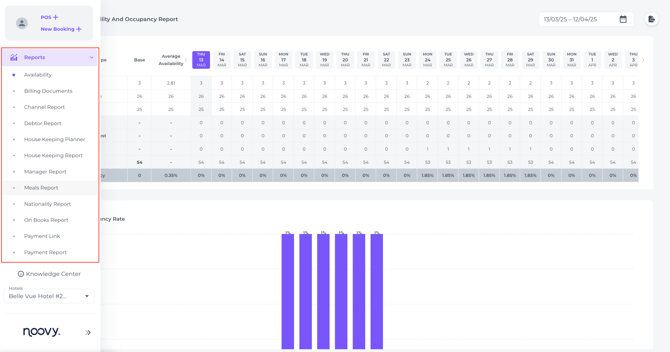
8. Reports: Data-Driven Insights
- Purpose:
Gain valuable insights into your property's performance through comprehensive reports. - Key Features:
- Occupancy Reports: Analyse occupancy rates and trends.
- Revenue Reports: Track revenue performance and identify areas for improvement.
- Financial Reports: Manage financial data and generate detailed reports.
- Housekeeping and Meal Plan Reports: Monitor the efficiency of operational departments and their services.
- Usage:
Use reports to make informed business decisions and optimise your property's performance.
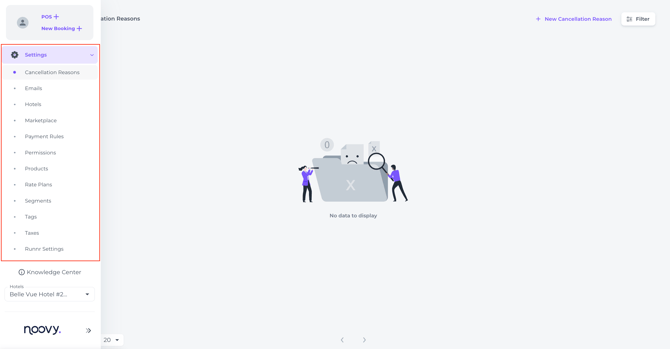
9. Settings: Customizing Your Venue
- Purpose:
Configure your PMS to meet your specific needs and preferences. - Key Features:
- Customisation Options: Modify system settings to align with your property's requirements.
- User Roles and Permissions: Manage user access and permissions.
- Preference Settings: Customise system preferences to your liking.
- Noovy Booking Engine: Setting up the Booking Engine
- Usage:
Personalise your Noovy experience and ensure optimal functionality.
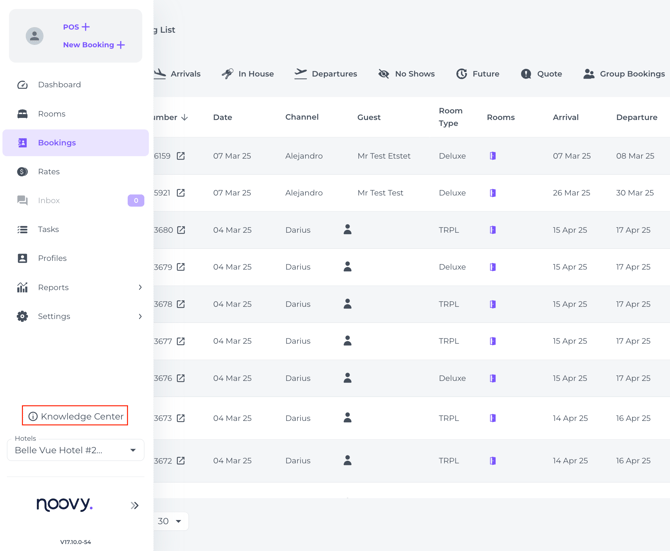
10. Knowledge Center: Accessing Resources
- Purpose:
Access the self-service hub with countless articles that will help you get the most out of your system. - Key Features:
- Knowledge Base Articles: Access detailed articles and guides.
- Usage:
Find answers to your questions and get the support you need anywhere anytime.
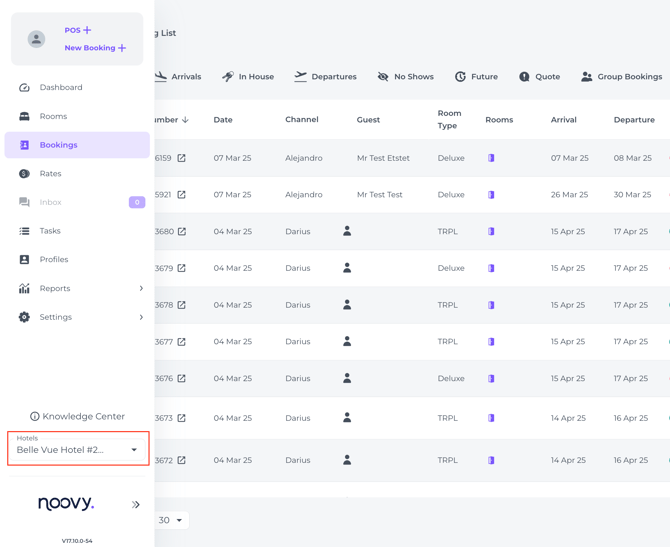
11. Venue Selector: Multi-Property Management
- Purpose:
Easily switch between multiple properties managed under your account. - Key Features:
- Venue Selection: Quickly change the active venue.
- Centralised Management: Manage multiple properties from a single account.
- Usage:
Streamline operations for properties with multiple venues.
By understanding and utilising these main menu sections, you can effectively manage your property, enhance guest experiences, and drive business success.
We encourage you to explore each section and familiarise yourself with its features. If you have any further questions, please don't hesitate to contact our support team.